
Universities and schools
Review assignments, theses, and research papers with plagiarism evidence, AI-writing signals, and institution-ready reports.
AI authorship, plagiarism evidence, and review workflows
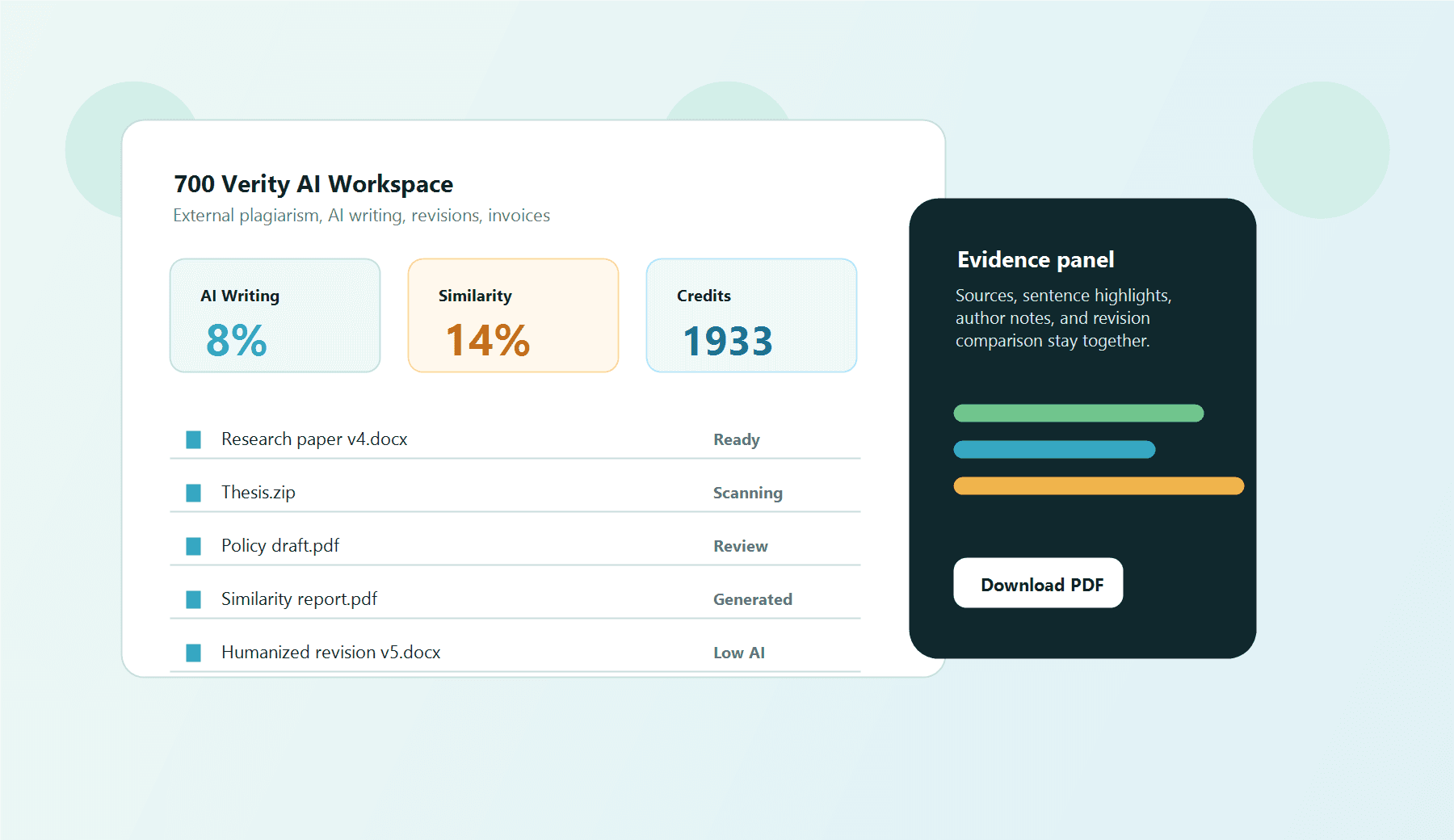
Upload files, scan external plagiarism sources, estimate AI-writing probability, create humanized revisions, compare versions, and download readable reports from one secure SaaS workspace.
AI %
Writing probability
Sources
External plagiarism
Versions
Revision history
Use cases
700 Verity AI supports academic integrity, research review, enterprise document assurance, and content quality workflows with private customer workspaces.
Review assignments, theses, and research papers with plagiarism evidence, AI-writing signals, and institution-ready reports.
Check papers, templates, proposals, and revised versions while preserving document families and audit history.
Scan policy drafts, tenders, contracts, and reports inside controlled workspaces with team access.
Compare revisions, create responsible author edits, and separate reviewer decisions from detector scores.
Real system views
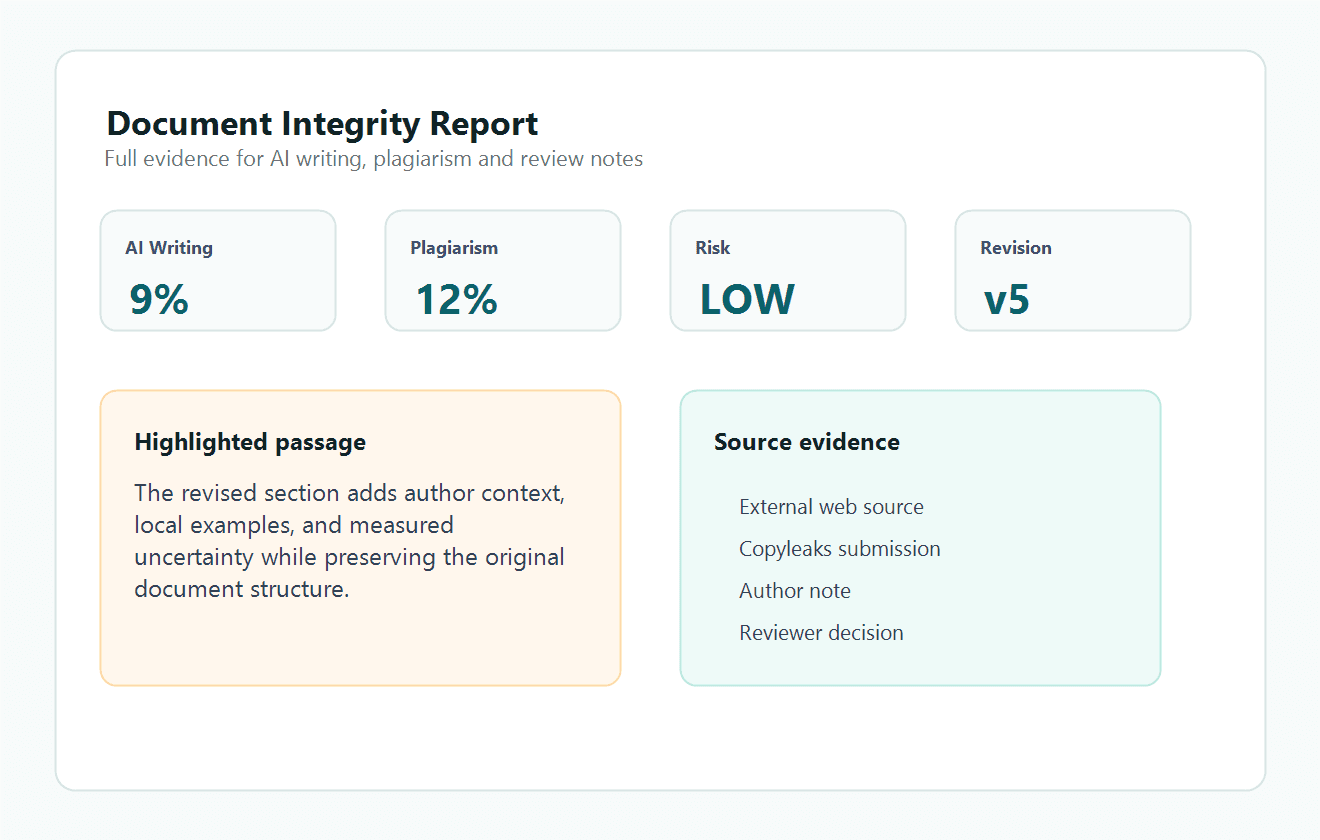
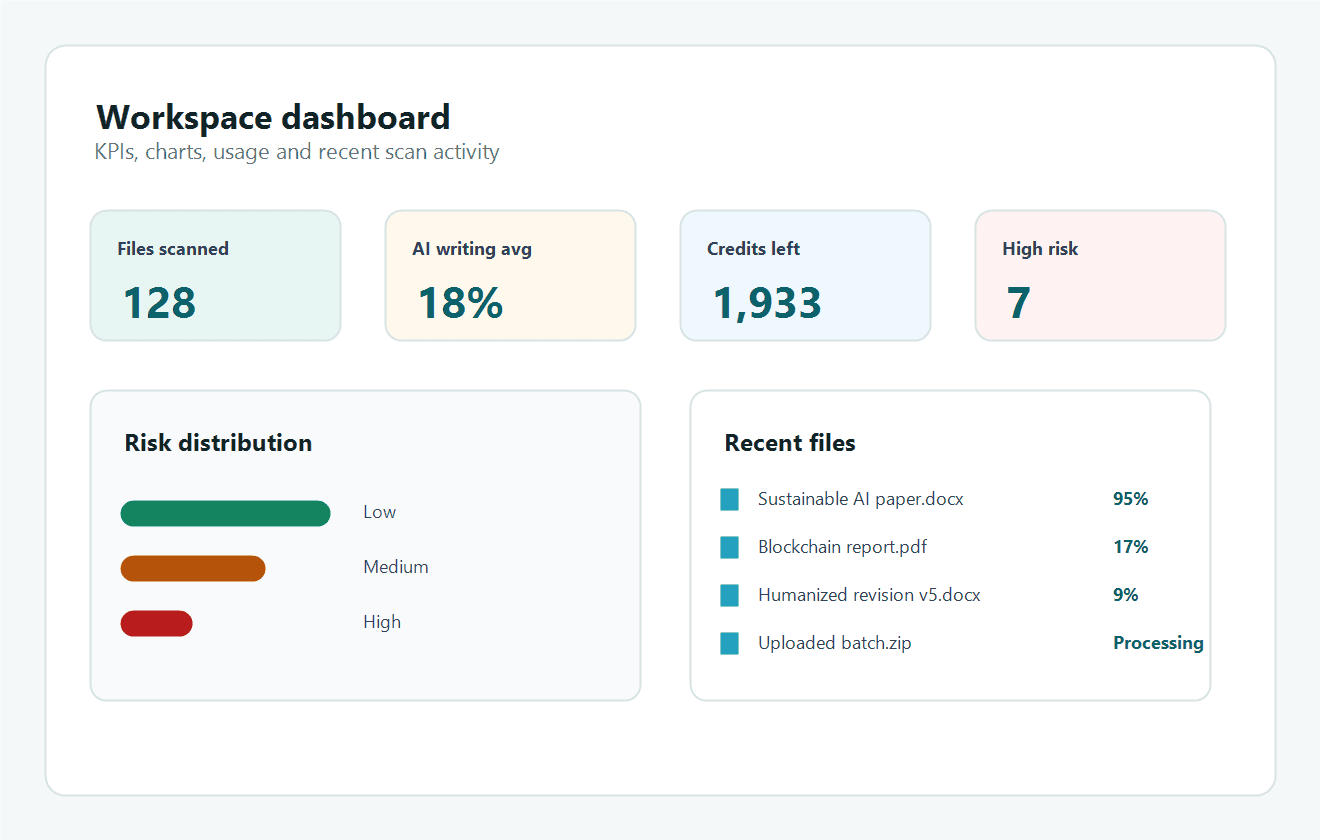
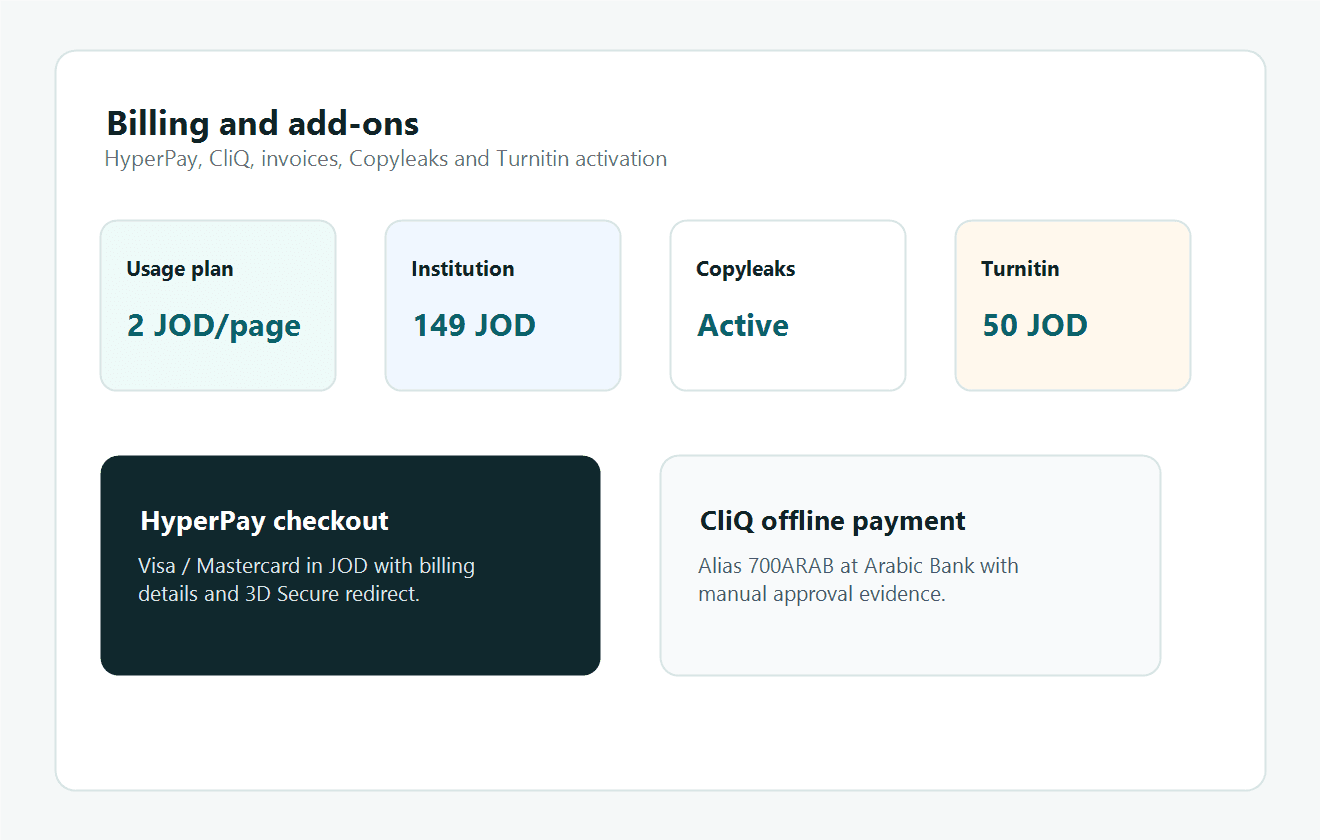
The homepage now shows product screenshot previews that match the live workspace screens for dashboard KPIs, document reports, and payment settings.
KPIs, charts, usage, and recent scan activity
AI writing, plagiarism, highlighted evidence, and reviewer notes
HyperPay, CliQ, invoices, Copyleaks, and Turnitin
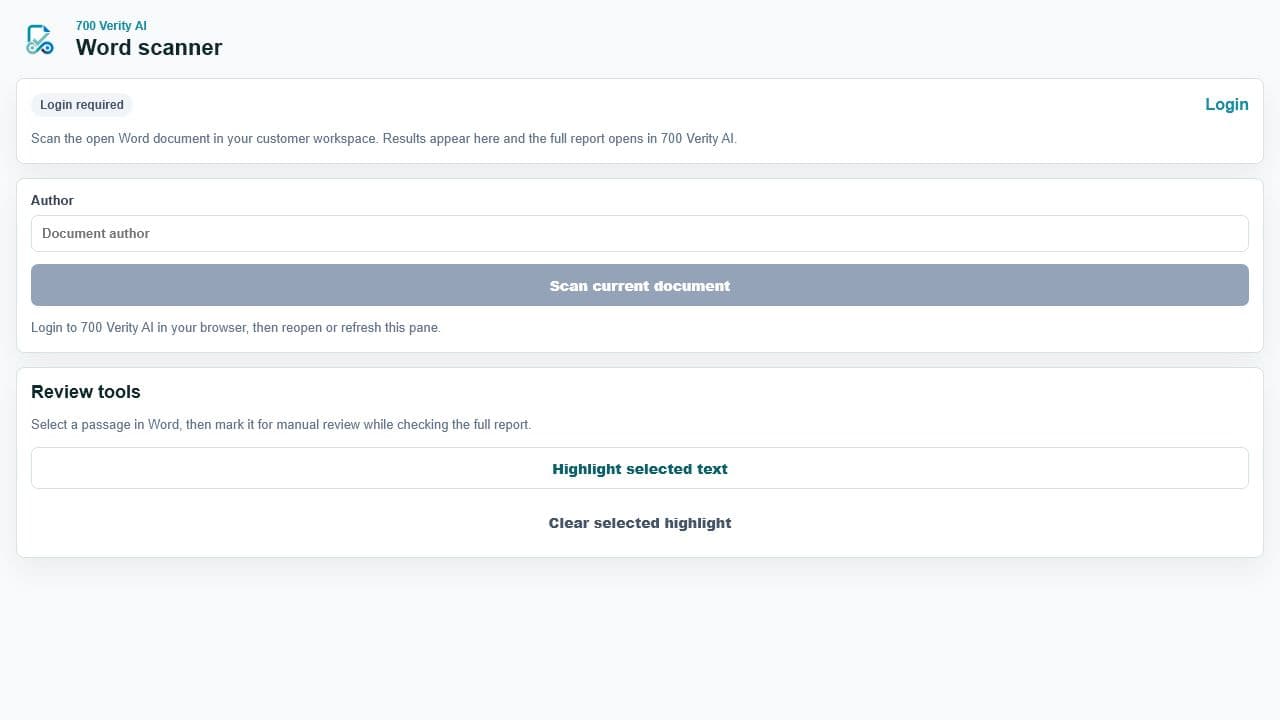
Scan, humanize, and review documents inside Microsoft Word
The page now shows the real workspace, report, billing, and Word add-in screens so customers see the product they will actually use.
Narrated demonstration
The narrated demo walks customers through upload, scan progress, AI-writing review, external plagiarism, the humanized revision algorithm, DOCX preservation, version comparison, billing, add-ons, super admin, and the Word add-in.
System features
The platform combines scanning, revision management, provider add-ons, team access, usage accounting, and downloadable reports.
Search external sources and highlight evidence instead of comparing only against internal files.
Estimate AI-writing patterns as a review signal with risk bands, confidence, and policy context.
Create numbered revisions under the same file, preserve DOCX structure where possible, and scan again.
Show full text changes between revisions so reviewers can inspect what changed.
Upload several documents or ZIP packages for DOCX, PDF, TXT, and Markdown workflows.
Track scan usage, credits, JOD checkout, CliQ offline payments, tax invoices, and package status.
Activate provider checks for plagiarism, AI detection, exports, webhooks, and submission tracking.
Keep Turnitin available as a licensed integration path for official similarity workflows.
Scan the open DOCX from Word, watch progress, open the report, insert a review summary, and highlight selected passages.
Microsoft Word add-in
The Word task pane uploads the open DOCX where possible, falls back to text when needed, shows progress and scan results, opens the full report, copies report links, inserts review summaries, and highlights selected passages.
Task pane for scan progress, humanized revisions, and review summaries
Upload the manifest from Microsoft 365 Admin Center under Integrated apps.
For personal use, open Word, go to Insert > Add-ins > More Add-ins > My Add-ins, then upload the manifest file.
Login to 700 Verity AI, open Word, scan the document, and review the full report.
Insert a summary into Word, copy the report link, or highlight selected passages for follow-up.
Review signals
AI-writing scores and plagiarism percentages are decision-support signals. Reviewers see source evidence, highlighted passages, standards guidance, revision history, and author notes before deciding.
Inspect matched passages and external source links in context.
Generate notes that help the author explain revisions, sources, and writing intent.
Keep every revision attached to the original file instead of creating disconnected copies.
Track risk mix, scan usage, credits, add-ons, and customer activity.
Trust and compliance
700 Verity AI follows an evidence-first approach with secure workspaces, reviewer context, invoice support, and integration paths for specialized providers.
Separate customer files, team roles, scan history, billing state, and report access.
Pair scan scores with excerpts, sources, risk levels, and reviewer decision support.
JOD pricing, 16% sales tax, invoice PDFs, HyperPay checkout, and CliQ payment.
Designed for secure digital products, platforms, cloud systems, and managed delivery.
Pricing
Start with usage pricing, upgrade to institution plans, or activate provider add-ons such as Copyleaks and Turnitin when licensed.
2 JOD
Per page before 16% sales tax
49 JOD
Team package for growing review activity
149 JOD
High-volume scans, add-ons, and super admin control
Custom
SSO, API, retention, and dedicated compliance support
Visa and Mastercard checkout in JOD.
Offline payment to Arabic Bank Alias 700ARAB.
16% sales tax and downloadable invoice PDFs.
700 Verity AI
Create files, scan, compare versions, invite a team, and activate institution-level integrations when needed.